Crypto Thumbnail Engineering 2026: Turning Trading Bot Data Into Viral Clicks
Learn how crypto creators transform trading bot data into viral thumbnails using AI prompts, visual psychology, automation pipelines, and proven

Crypto content creators are no longer designing thumbnails manually. They are using structured prompt engineering workflows, AI image tools, and automation pipelines to convert raw trading bot data into high-click visuals. This process separates image generation from text, ensuring clarity and consistency while maximizing visual impact.
This guide breaks down the full system: how creators generate visuals, apply psychological triggers, avoid common pitfalls like AI text errors, and automate thumbnail production using real-time trading data. The result is a repeatable framework that scales across platforms like YouTube and social media.
In This Guide
Step-by-Step Guide
Extract and Structure Trading Data
Start by collecting live or historical data from trading bots and exchanges such as Binance or Cryptohopper. Focus on key metrics like PnL percentage, win rate, drawdown, and trade count. These numbers become the foundation of your thumbnail narrative.
Organize the data into a structured format. For example: “+18.7% in 14 days” or “63% win rate across 412 trades.” Precision matters because specific numbers outperform vague claims. This structured data will later feed directly into your prompt templates.
Generate a Text-Free Visual Base
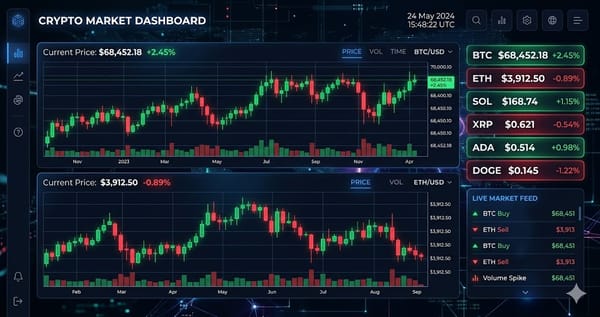
Use AI image tools to create a visual background from your trading data or a reference screenshot. The goal is to enhance lighting, contrast, and composition while keeping the image clean and text-free.
A strong prompt focuses on visual elements like neon lighting, chart movement, and composition. Avoid asking the AI to render any text, as text generation is still unreliable. This ensures the output remains visually sharp and usable for further editing.
Apply Prompt Engineering for Visual Style
Build prompts that control composition and mood. Include details such as aspect ratio, color palette, focal point, and lighting style. For example, specify dark backgrounds with green highlights and a clear visual hierarchy.
If replicating a competitor style, reference their visual structure without copying content. Focus on lighting, layout, and tone. This approach allows you to reuse proven patterns while maintaining originality in your topic.
Add Text Overlays Manually
Once the base image is ready, import it into a design tool and add text overlays manually. Tools like Canva or Photoshop give full control over typography, spacing, and readability.
Use bold, high-contrast text with minimal words. Keep it between two and four words when possible. Place the most important number prominently and ensure it is readable on mobile screens. This step is where the click-driving message is finalized.
Automate the Thumbnail Pipeline
Scale your workflow by connecting APIs and automation tools. Use a pipeline that pulls trading data, generates prompts dynamically, creates images, and exports thumbnails automatically.
A typical setup involves trading APIs, prompt templates, image generation APIs, and scripting tools like Python. This allows you to produce consistent thumbnails in real time, reducing manual work while maintaining output quality.
Tips and Best Practices
- Always test with small amounts before committing significant funds.
- Bookmark the official websites of tools mentioned in this guide to avoid phishing.
- Keep detailed records of your transactions for tax reporting purposes.
Ready to start trading?
Trade on Bitget Try CoinTech2uAffiliate links — we may earn a commission at no extra cost to you.
Frequently Asked Questions
Why should I avoid generating text with AI for thumbnails?
AI image models often produce distorted or incorrect text. Adding text manually ensures accuracy, readability, and control over design.
What makes a crypto thumbnail high-performing?
High-performing thumbnails use strong contrast, specific numbers, minimal text, and clear visual focus, combined with emotional triggers like growth or surprise.
Can this workflow be fully automated?
Yes, by connecting trading APIs, prompt templates, image generation APIs, and automation tools, you can build a system that generates thumbnails with minimal manual input.
Related Articles
- How to Analyze Crypto Market Sentiment for Content Creation (2026 Guide)
- Crypto YouTube Sentiment Trading System 2026: Build AI Signals for SpotBot
- From Text to Trading: How to Build a Fully Automated "Voice-Only" Crypto Education Channel in 2026