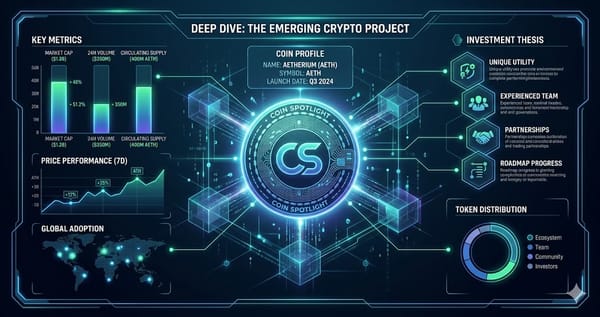
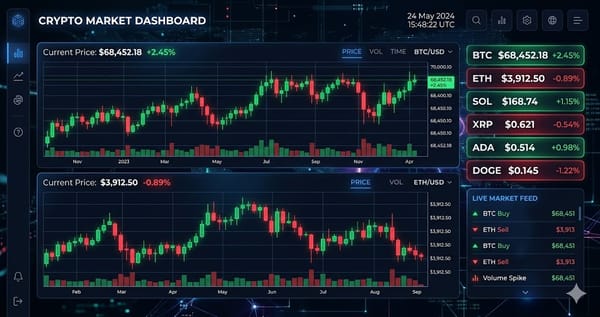
Dark Mode Domination: How to Create Crypto Thumbnails That Sell Fear & FOMO
Learn about Dark Mode Domination: How to Create Crypto Thumbnails That Sell Fear & FOMO. Practical guide with tips and FAQ.

You’ve spent hours analyzing the charts, recording your analysis, and editing your video. You hit publish… and nothing. Twelve views, three of which are your own.
In the hyper-competitive world of crypto education, your content lives or dies by the thumbnail. With over 73% of YouTube users browsing in dark mode, the old “bright and busy” thumbnail style simply doesn’t work anymore. To win the click, you need to master the dark.
In This Guide
Step-by-Step Guide
Understanding the Psychology—Fear & FOMO
Before you open a design tool, you need to understand what makes a crypto trader click. Based on behavioral research (Kahneman & Tversky), fear is twice as powerful as greed.
We categorize psychological triggers into three tiers:
Tier Trigger Why It Works Visual Execution Tier 1 Loss Aversion Humans feel losses 2x more intensely than gains. Red signals danger. Red charts crashing, downward arrows, text like "CRASH" or "WHALES DUMPING." Tier 2 FOMO (Scarcity) Fear of missing the bottom or the next pump drives impulsive clicks. "LAST CHANCE," countdown timers, "BREAKING" labels. Tier 3 Herd Behavior "If whales are moving, I need to know why." Whale silhouettes, large dollar amounts ("$47M MOVED"), wallet addresses.
The Anatomy of a High-Converting Thumbnail
Based on analysis of the top-performing crypto channels, the "Cinematic Crypto Whale" template follows a specific visual formula. You can replicate this using tools like Alici.AI, Envato Elements, or Photoshop.
Layer 1: The Background (Dark & Textured)
Color: Deep navy, near-black, or dark ocean blue.
Tool Selection—AI vs. Authenticity
You have two paths to execution: speed or authenticity. However, the market has shifted. AI thumbnail generator usage surged 147% in 2025, but channels using unmodified AI templates are seeing declining engagement. Viewers can spot a generic render from a mile away.
Option A: The AI Speed Run (Using Alici.AI)
Platforms like Alici.AI offer 500+ templates and can generate a custom design in ~14 seconds. They claim CTR boosts of up to 32%.
Color Psychology—When to Use Red vs. Green
Color choice dictates the emotional filter of the viewer before they even read a word.
Use when: The market is crashing, whales are selling, or you are warning against a scam.
Effect: Highest CTR for fear-based content. Triggers immediate defensive attention.
The Testing & Iteration Loop
Even the best designers don’t nail it on the first try. To maximize your CTR, implement this workflow:
Create 2-3 Variants: Before publishing the video, create 2-3 thumbnails with different hooks (e.g., one fear-based, one FOMO-based, one whale-focused).
Use YouTube’s A/B Testing: Upload all three to YouTube’s "Test & Compare" feature.
Tips and Best Practices
- Always test with small amounts before committing significant funds.
- Bookmark the official websites of tools mentioned in this guide to avoid phishing.
- Keep detailed records of your transactions for tax reporting purposes.
Ready to start trading?
Trade on Bitget Try CoinTech2uAffiliate links — we may earn a commission at no extra cost to you.
Related Articles
- From Trading Bot to Viral Video: Building an Automated Crypto Market Reactor
- How to Trade Crypto Futures in 2026: A Complete Guide Amid Market Chaos
- Building a Secure Crypto Portfolio in 2026: Hybrid Bot + Manual Strategy Guide