Real-Time Crypto Thumbnail A/B Testing: The Live-Edit Guide for YouTube Creators
Learn about Real-Time Crypto Thumbnail A/B Testing: The Live-Edit Guide for YouTube Creators. Practical guide with tips and FAQ.

The crypto market never sleeps. Neither should your thumbnails.
When Bitcoin crashes $10,000 in two hours or Ethereum suddenly pumps 47%, the window to capture viewer attention is measured in hours, not days. Yet most crypto creators still rely on slow, outdated thumbnail workflows—waiting 24-72 hours for a freelance designer or spending 30 minutes wrestling with Photoshop while the market moves on.
In This Guide
- Step 1: Capture the Moment (30 seconds)
- Step 2: Generate Variant A — High Emotion (60 seconds)
- Step 3: Generate Variant B — Analytical/Educational (60 seconds)
- Step 4: Generate Variant C — Mixed Approach (60 seconds)
- Step 5: Pre-Filter with CTR Prediction (30 seconds)
- Step 6: Push to YouTube Test & Compare (2 minutes)
- Step 7: Monitor and Discuss (During Stream)
- Tips and Best Practices
Step-by-Step Guide
Capture the Moment (30 seconds)
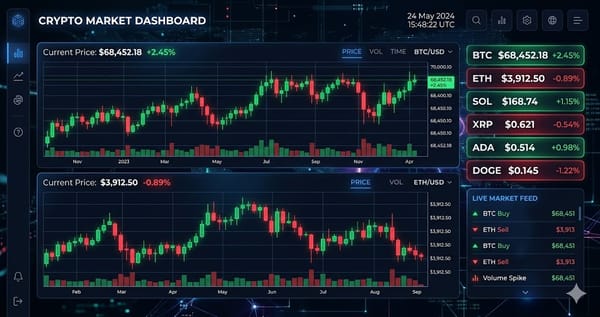
Take a screenshot of the current chart showing the price movement
Identify the narrative: Is this a crash? A pump? A reversal? Regulatory news?
Note the specific number you'll feature (e.g., "ETH -30%," "BTC +47%")
Generate Variant A — High Emotion (60 seconds)
Select the shocked/surprised expression variation
Upload your chart screenshot as the background
Overlay text: 5-8 words max (e.g., "ETH CRASH — Is It Over?")
Generate Variant B — Analytical/Educational (60 seconds)
Swap Background with a neutral or branded scene (or cleaner chart view)
Generate Variant C — Mixed Approach (60 seconds)
Shocked expression + analytical overlay: "I WAS WRONG About ETH"
Or: Calm expression + bold price number + directional arrow
Pre-Filter with CTR Prediction (30 seconds)
Review all 3-5 generated thumbnails with their scores
Discard any thumbnail scoring below the 70th percentile—don't waste YouTube impressions on weak concepts
If multiple thumbnails score above 80, test them all
Push to YouTube Test & Compare (2 minutes)
Navigate to YouTube Studio → Content → Select Video
Click "Test & Compare" in the thumbnail section
Enable title testing if you have multiple headline variations
Monitor and Discuss (During Stream)
If you're livestreaming while this happens:
Show your audience the real-time performance dashboard
Discuss which thumbnail is winning and why
Tips and Best Practices
- Always test with small amounts before committing significant funds.
- Bookmark the official websites of tools mentioned in this guide to avoid phishing.
- Keep detailed records of your transactions for tax reporting purposes.
Ready to start trading?
Trade on Bitget Try CoinTech2uAffiliate links — we may earn a commission at no extra cost to you.
Related Articles
- Automating Crypto Thumbnails with APIs in 2026: Step-by-Step Guide
- How to Record Your Crypto Trading Screen in 2026: The Complete Guide
- How to Use On-Chain Data to Trade Crypto in 2026