TradingView for Crypto: Complete Setup & Strategy Guide 2026
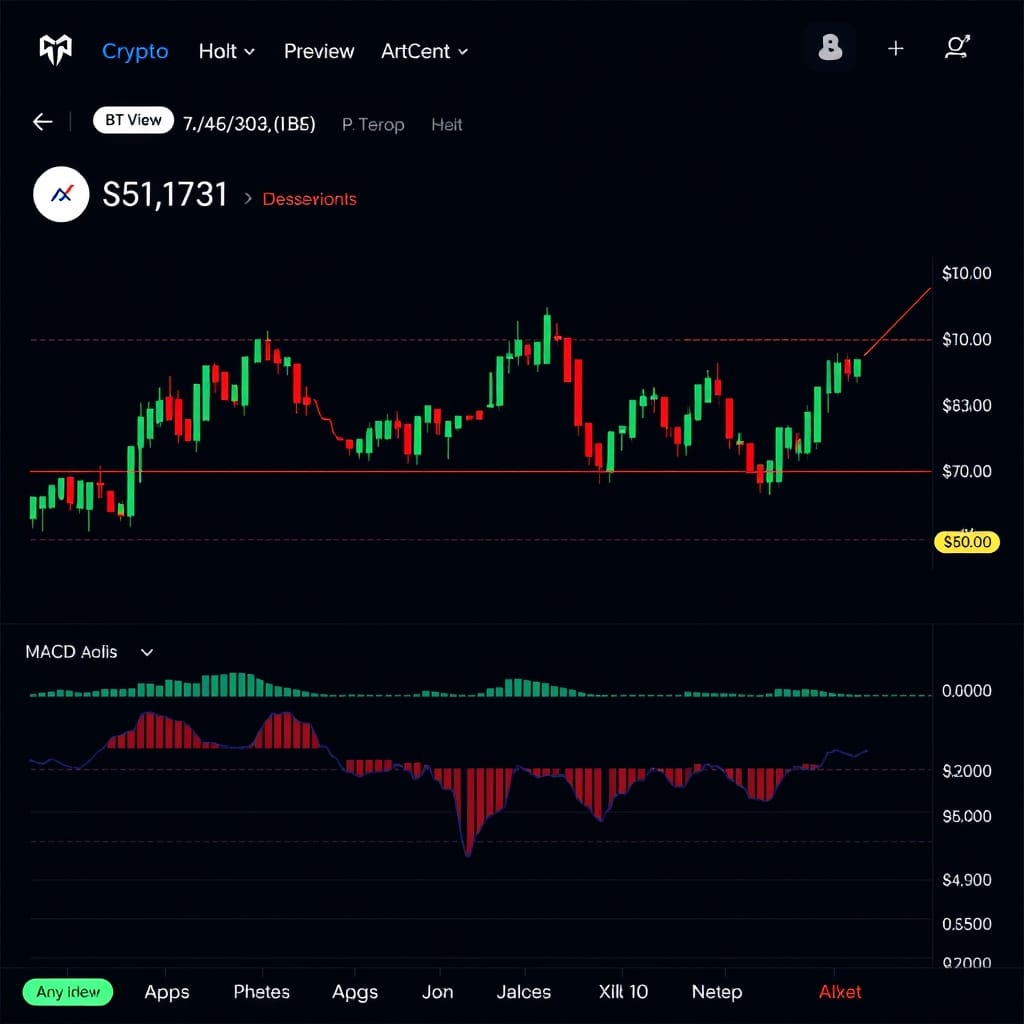
TradingView for Crypto: Complete Setup & Strategy Guide 2026
Build a professional crypto trading workspace with the right charts, indicators, and alerts
TradingView is the most widely used charting platform in the crypto world, and for good reason. It combines institutional-grade charting tools with a social community of millions of traders, extensive indicator libraries, and native integration with major crypto exchanges. Whether you are plotting simple support and resistance lines or building complex multi-indicator strategies, TradingView provides the tools to do it effectively.
However, most traders barely scratch the surface of what TradingView offers. They load a chart, add a moving average, and call it a day. This guide walks you through a complete professional setup for crypto trading, from configuring your chart layout and selecting the right indicators to building custom alert systems and executing trades directly from the platform. By the end, you will have a TradingView workspace that gives you a genuine analytical edge.
What You'll Need
- A TradingView account, with the free tier sufficient for learning but the Plus or Premium plan recommended for serious traders who need multiple charts and alerts
- Basic familiarity with candlestick charts and common patterns like support, resistance, and trend lines
- A crypto exchange account linked to TradingView for direct execution, supported exchanges include Binance, Bybit, and Coinbase
- A computer with a large enough screen to display multiple chart panels simultaneously, ideally 24 inches or larger
Step-by-Step Guide
Step 1
Configure Your Chart Layout for Crypto
Start by creating a multi-chart layout that lets you monitor different timeframes and assets simultaneously. On TradingView, click the layout selector in the top toolbar and choose a 2x2 or 3-panel configuration. Set one chart to the daily timeframe for the overall trend direction, one to the 4-hour for swing trade entries, and one to the 1-hour or 15-minute for precise timing of entries and exits.
For your primary chart, select the Binance or Coinbase BTC/USDT pair, which typically has the most volume and most reliable price data. Use Heikin Ashi candles for trend identification on higher timeframes and regular candlesticks for lower timeframes where you need precise entry prices. Adjust the color scheme to reduce eye strain during long sessions by using a dark background with high-contrast candle colors.
Save your layout as a template by clicking the layout dropdown and selecting Save Layout. Create separate templates for different trading scenarios: one for Bitcoin analysis, one for altcoin scanning, and one for monitoring positions across multiple pairs. This organization saves significant time and ensures you always have the right tools visible for the type of analysis you are performing.
Step 2
Add Essential Indicators for Crypto Trading
The most effective indicator combination for crypto trading includes a trend-following indicator, a momentum oscillator, and a volume indicator. Start with the 21-period and 50-period exponential moving averages on your daily chart. When the 21 EMA is above the 50 EMA, the intermediate trend is bullish. When it crosses below, the trend has shifted bearish. This simple setup keeps you on the right side of the dominant market direction.
Add the Relative Strength Index with a 14-period setting as your momentum tool. In the crypto market, RSI readings above 70 on the daily chart indicate overbought conditions where short-term pullbacks are likely, while readings below 30 indicate oversold conditions where bounces frequently occur. However, during strong trends, RSI can stay overbought or oversold for extended periods, so use it as context rather than a standalone buy or sell signal.
For volume analysis, add the Volume Profile Visible Range indicator, which shows the most traded price levels within your visible chart area. High-volume nodes act as magnets for price and often serve as strong support or resistance levels. The Point of Control, the highest volume level, is particularly important for identifying likely reversal or consolidation zones. This indicator is available on TradingView paid plans and is one of the most underutilized tools in crypto technical analysis.
Step 3
Set Up Custom Alerts for Automated Monitoring
TradingView alerts are one of the platform most powerful features and eliminate the need to stare at charts all day. Right-click on any price level, indicator line, or drawing tool and select Add Alert to create a notification that triggers when price reaches that level. You can receive alerts via email, push notification on the mobile app, SMS, or webhook to trigger automated trading actions.
Build a layered alert system with three tiers. The first tier is price alerts at major support and resistance levels for your core watchlist of ten to fifteen crypto assets. The second tier is indicator alerts, such as RSI crossing above 70 or below 30, MACD crossovers, or moving average crosses on specific timeframes. The third tier is custom condition alerts using TradingView Pine Script, allowing you to combine multiple conditions into a single alert.
For crypto specifically, set alerts on Bitcoin dominance chart to notify you when BTC dominance breaks above 55% or below 45%, as these thresholds often signal rotation between Bitcoin and altcoins. Also set alerts on the total crypto market cap chart at key levels to track overall market health. These macro alerts give you early warning of major market shifts before they show up on individual asset charts.
Step 4
Master Drawing Tools for Chart Analysis
Horizontal support and resistance lines are the foundation of crypto chart analysis. On the daily chart, identify the three or four most significant price levels where the market has repeatedly bounced or rejected. Draw horizontal lines at these levels and extend them to the right. Price tends to react at these historical levels, making them ideal zones for planning entries, exits, and stop loss placement.
Trend lines and channels help you visualize the direction and angle of price movement over time. Draw an ascending trend line by connecting two or more higher lows, and a descending trend line by connecting two or more lower highs. When price breaks through a well-established trend line on high volume, it often signals a significant directional change. Use parallel channel tools to capture the full range of a trending move.
Fibonacci retracement is essential for crypto analysis because the market tends to respect these levels with remarkable consistency. After a significant move, apply the Fibonacci tool from the swing low to the swing high. The 0.382, 0.5, and 0.618 retracement levels are the most commonly watched zones for pullback entries during uptrends. In the post-halving bull cycle of 2026, Bitcoin and major altcoins have repeatedly found support at the 0.382 and 0.5 Fibonacci levels during healthy corrections.
Step 5
Connect Your Exchange for Direct Trading
TradingView supports direct exchange integration with Binance, Bybit, Coinbase, and several other platforms. Navigate to the Trading Panel at the bottom of the chart and click the broker connection button to link your exchange account via API keys. This allows you to place market, limit, stop, and OCO orders directly from your TradingView chart without switching to the exchange interface.
Once connected, you can drag order levels directly on the chart, visualizing exactly where your entry, stop loss, and take profit orders sit relative to the current price and your technical analysis. This visual order placement is dramatically more intuitive than typing numbers into an exchange order form and helps you avoid mistakes caused by entering wrong prices or quantities in the heat of a fast-moving market.
For security, generate API keys on your exchange with trading permissions only and disable withdrawal permissions. This way, even if your TradingView account were compromised, an attacker could not withdraw funds from your exchange. Store your API keys securely and never share screenshots of your TradingView account that might expose your connected exchange information.
Step 6
Build a Watchlist and Screening System
Create organized watchlists in TradingView to categorize crypto assets by sector and trading priority. Build separate lists for large-cap layer-1 blockchains, DeFi blue chips, AI and infrastructure tokens, gaming and metaverse tokens, and a speculative small-cap list. This organization lets you quickly scan relevant sectors when market conditions shift and identify which segments are showing relative strength or weakness.
Use the TradingView screener to filter crypto assets by technical criteria. For example, you can screen for tokens where RSI on the daily chart is below 35 while the weekly RSI is above 50, indicating an oversold pullback within an overall uptrend. Save these screener configurations as presets so you can run them daily with a single click to surface new trading opportunities.
Review your watchlists every weekend when markets tend to be quieter. Remove assets that no longer meet your criteria and add new ones that have appeared in your screener results or caught your attention during the week. A curated watchlist of 20 to 40 assets is far more manageable and effective than trying to monitor the entire market of thousands of tokens.
Step 7
Develop a Repeatable Chart Analysis Routine
Establish a daily analysis routine that follows a top-down approach from higher to lower timeframes. Start each session by checking the weekly and daily Bitcoin chart to understand the primary trend direction and key levels. Then review the Ethereum chart, the total crypto market cap, and Bitcoin dominance. These four macro charts set the context for everything else you analyze that day.
Next, scan your watchlists on the daily timeframe looking for assets that are approaching key levels, showing indicator divergences, or forming recognizable chart patterns. Flag three to five of the most promising setups and drill down to the 4-hour and 1-hour charts to refine potential entry zones. Write a brief note for each setup describing the entry trigger, stop loss level, and target, and set alerts at the relevant price levels.
This entire routine should take 30 to 60 minutes each morning. The discipline of a structured routine prevents the common trap of randomly jumping between charts and making impulsive decisions based on whatever asset happens to be moving at that moment. Consistency in analysis leads to consistency in results. The most successful traders in crypto treat their chart analysis like a professional process, not a casual hobby.
Tips & Best Practices
- Use the keyboard shortcut Alt+S on TradingView to quickly take a screenshot of your chart setup, which is useful for documenting analysis and sharing setups.
- Explore the TradingView community scripts library for free indicators built by other traders, but test any new indicator on historical data before relying on it in live trading.
- Enable the Economic Calendar feature in TradingView to overlay major macro events like Fed rate decisions directly on your crypto charts for context.
- Use the Notes feature attached to specific bars on the chart to record your analysis and trade rationale at the time, creating a visual journal you can review later.
Important: TradingView is a charting and analysis tool, not a trading guarantee. Even the best technical analysis setup cannot predict black swan events, regulatory announcements, or exchange failures. Always combine chart analysis with fundamental research and risk management. Never risk more than you can afford to lose based on any chart pattern or indicator signal.
Frequently Asked Questions
Is the free version of TradingView good enough for crypto trading?
The free tier provides one chart per tab, three indicators per chart, and a limited number of alerts, which is sufficient for beginners. However, serious crypto traders benefit greatly from the Plus or Premium plans which offer multiple charts per layout, more indicators, unlimited alerts, and volume profile tools that are essential for professional analysis.
Which TradingView indicators are most reliable for crypto?
No indicator is reliable in isolation. The most effective combination for crypto includes exponential moving averages for trend direction, RSI for momentum and overbought or oversold conditions, and volume profile for identifying high-interest price zones. The key is using multiple indicators that measure different aspects of the market rather than stacking several that all measure the same thing.
Can I automate crypto trading through TradingView?
Yes. TradingView alerts can send webhooks to automation platforms like 3Commas, Cornix, or custom bots that execute trades on your behalf. You can also write Pine Script strategies that generate buy and sell signals, then route those signals to your exchange via webhook integration. However, start with manual trading to validate your strategy before automating it.
CryptoTakeProfit Research Team
Our team of analysts and traders covers the crypto market daily. We combine on-chain data, technical analysis, and fundamental research to bring you actionable insights.
Disclaimer: This article is for informational purposes only and does not constitute financial advice. Cryptocurrency investments carry significant risk. Always do your own research and never invest more than you can afford to lose. This article may contain affiliate links.