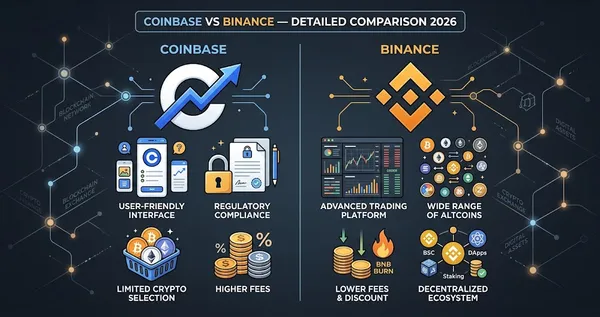
How to Create Crypto YouTube Thumbnails with ChatGPT and AI Tools in 2026
Learn about How to Create Crypto YouTube Thumbnails with ChatGPT and AI Tools in 2026. Practical guide with tips and FAQ.

This guide covers create crypto youtube thumbnails with chatgpt and ai tools in 2026 with practical steps, tips, and frequently asked questions.
In This Guide
Step-by-Step Guide
Generate Thumbnail Concepts in ChatGPT
Start by using ChatGPT to create structured thumbnail concepts based on your video topic and target audience. Provide context such as the crypto asset, market condition, and emotional tone you want to convey. Ask for multiple options so you can compare different visual directions and choose the strongest one.
Each concept should include a clear background idea, key visual elements, a short text overlay (3–5 words), and an emotional tone like fear, greed, or urgency. This step ensures you are designing for click-through rate before thinking about visuals. Strong concepts reduce wasted effort and improve the chances of producing a high-performing thumbnail.
Convert Concepts into AI Image Prompts
Take your selected concept and ask ChatGPT to refine it into a detailed image generation prompt. The prompt should describe composition, lighting, colors, and specific elements like charts, coins, or arrows. Include details such as resolution and layout to ensure compatibility with YouTube standards.
This step translates your idea into a format that AI image generators can interpret accurately. The more precise your prompt, the closer the generated image will match your intended design. Well-structured prompts reduce randomness and improve output consistency.
Generate Images Using AI Tools
Paste your prompt into a free AI image generator such as Leonardo AI or Bing Image Creator. Generate multiple variations so you have options to choose from. Focus on outputs that clearly communicate the message and have strong visual contrast.
Select the image that best represents your concept and has the strongest emotional impact. Prioritize simplicity and clarity over complexity. A thumbnail should be instantly understandable even at a small size on mobile devices.
Refine and Add Text in Canva
Upload your chosen image into Canva and begin refining the design. Add bold, high-contrast text overlays using large fonts that remain readable on mobile screens. Keep text short and impactful, ideally between 3 and 5 words.
Include your channel logo at around 50% opacity to maintain branding without distracting from the main visual. Adjust contrast, brightness, and alignment to ensure the thumbnail stands out. Canva is better suited than AI tools for typography and final design control.
Export and Optimize for Performance
Export the final thumbnail as a PNG with a resolution of 1280×720, which is the standard for YouTube. Before publishing, review the thumbnail on a mobile device to ensure text and visuals are clear and legible.
When possible, create and test multiple thumbnail variations to identify which one performs best. Small changes in color, text, or composition can significantly impact click-through rate. Consistent testing and optimization lead to long-term performance improvements.
Tips and Best Practices
- Always test with small amounts before committing significant funds.
- Bookmark the official websites of tools mentioned in this guide to avoid phishing.
- Keep detailed records of your transactions for tax reporting purposes.
Ready to start trading?
Trade on Bitget Try CoinTech2uAffiliate links — we may earn a commission at no extra cost to you.
Frequently Asked Questions
Do I need design experience to create good thumbnails?
No, you can use ChatGPT and AI tools to generate concepts and visuals without prior design skills.
Which tool is best for beginners?
Leonardo AI and Canva are beginner-friendly and offer free plans with enough features to get started.
How many thumbnail variations should I create?
Ideally, create at least 2–4 variations per video to test which one drives the highest click-through rate.
Related Articles
- The Trader’s Blueprint: A Step-by-Step Guide to Your First Crypto Trade
- How to Bridge Tokens Between Blockchains — Beginner's Guide 2026
- AI-Powered Crypto Thumbnail Automation in 2026: Generate 10 Variants in Under 2 Minutes