How to Set Stop-Loss Orders in Crypto — Beginner's Guide 2026
Learn setting stop-loss orders to manage crypto risk with this beginner's guide. Step-by-step instructions, tips, and FAQ for crypto newcomers.

This guide walks you through setting stop-loss orders to manage crypto risk step by step. Whether you're new to crypto or expanding your skills, we cover everything you need to get started safely and effectively.
In This Guide
- A computer or smartphone with internet access
- A valid email address for account registration
- Basic understanding of cryptocurrency concepts
- A small amount of crypto or fiat currency to practice with
Step-by-Step Guide
Select Your Trading Pair
Choose the crypto pair you want to trade, such as BTC/USDT, on Binance Futures or another exchange. Binance lists BTC/USDT perpetual contracts with prices and 24-hour trading data, so you can set your risk around the actual entry price. As of August 28, 2026, use the live price shown on your trading screen rather than an old quote. Pro tip: don't place a stop before confirming whether you're trading Spot or Futures — the order menus and liquidation risks differ.
Calculate Your Stop Price
Set your stop-loss at a price where your trade idea becomes invalid, then calculate the position size so the planned loss stays within your limit. For example, if BTC is $62,300 and you buy at $62,300 with a stop at $60,800, the $1,500 difference equals about 2.41% risk per BTC. The common gotcha is choosing a fixed 5% stop without checking your position size.
Select Stop Loss
On Binance Futures, open the Position panel and choose Stop Loss, then enter your stop price and confirm the order type shown by the platform. A stop-market order generally prioritizes execution after the trigger, while a stop-limit order can fail to fill if the market moves through your limit price. Binance's displayed mark price, last price, and contract price can differ, so check which trigger price you selected as of August 28, 2026.
Confirm Your Risk
Review the entry price, stop price, quantity, and estimated loss before submitting the order. For example, a 0.1 BTC position entered at $62,300 with a $60,800 stop has a planned price loss of about $150, before fees and slippage. The common gotcha is forgetting that trading fees can push the actual loss beyond the $150 estimate.
Verify the Stop Is Active
Check Binance's Open Orders or Position panel and confirm that your stop-loss order is actually attached to the intended position. As of August 28, 2026, this check takes only a few seconds, but it matters: a position without a visible active stop can stay exposed if the market moves sharply. Don't assume the stop was placed until the order status confirms it.
Tips and Best Practices
- Set a stop-loss 1.5%-3% below the entry price for volatile crypto positions, using the 2026 range as a practical starting point.
- Risk no more than 1% of total trading capital per position, so a $10,000 account limits planned loss to $100.
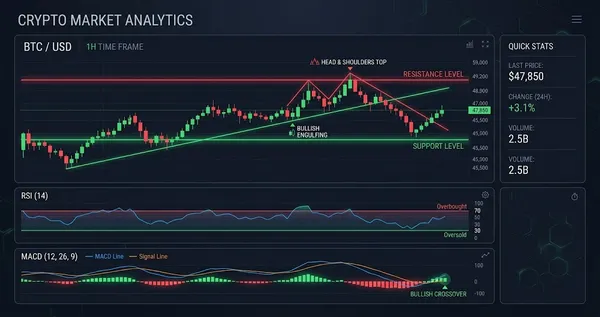
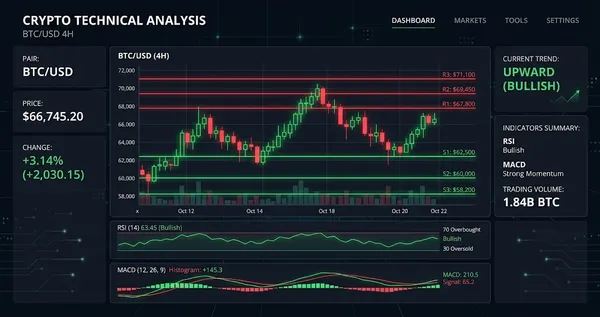
- Place the stop below a recent swing low rather than at a random percentage, using the latest 4-hour candle structure as the reference.
- Use an ATR-based stop at 2× the 14-period ATR when market volatility expands, according to the ATR reading on the trade's entry timeframe.
- Recalculate the stop after a 5%-10% favorable price move and raise it only when the new level reduces downside without placing it inside normal market noise.
Ready to start trading?
Trade on Bitget Try CoinTech2uAffiliate links — we may earn a commission at no extra cost to you.
Frequently Asked Questions
What is a stop-loss order in crypto?
A stop-loss order automatically sells your crypto when the price reaches a preset level, helping limit losses during a sharp decline. For example, buying Bitcoin at $62,000 and setting a stop-loss at $58,900 limits the planned price risk to about 5%, according to the trade setup.
How far below my entry should I set a crypto stop-loss?
Beginners can consider a stop-loss around 3% to 10% below entry, depending on the asset's normal price swings and trading timeframe. As of August 28, 2026, a 5% stop on a $1,000 position means a planned loss of about $50 before fees and slippage.
Should I use a stop-loss on every crypto trade?
Yes, using a predefined exit level can help prevent one trade from creating an outsized loss, but the distance should fit the asset's volatility. For example, a 2% stop on a highly volatile token may trigger far more often than a 5% stop, so the specific percentage should be tested against historical price movements.
What happens if crypto drops below my stop-loss price?
A stop-loss can trigger a market sell once its activation price is reached, but the final execution price may be lower during a fast decline. For example, if BTC has a $60,000 stop and falls rapidly from $60,100 to $59,500, Binance order execution can occur below $60,000 because the stop price does not guarantee the exact fill price as of August 28, 2026.
Related Articles
- Phantom vs Solflare — Detailed Comparison 2026
- How to Use Dollar-Cost Averaging for Bitcoin — Beginner's Guide 2026
- Bitget Futures Trading Guide — Tips for Beginners
Related Articles
- Phantom vs Solflare — Detailed Comparison 2026
- How to Use Dollar-Cost Averaging for Bitcoin — Beginner's Guide 2026
- Bitget Futures Trading Guide — Tips for Beginners